
Last updated November 24, 2026. Reviewed by the HomePilot editorial team.
By the Numbers · Wi-Fi
Mesh Wi-Fi is sold in packs of two and three, and that is where many people overspend. The pack sizes are a marketing choice, not a measurement of your home. A single, well-placed mesh unit can cover a lot more than most people expect, and a big home with thick walls can need more than the box suggests. The right number comes from three things: how much floor area you have, how many floors and walls get in the way, and how fast your internet plan is. Here are the manufacturer ratings, a count by home size, and a free calculator that does the math for your own house.
By the HomePilot Team · Updated November 24, 2026 · Coverage and speed figures from eero’s official product comparison · How we research
1,500 sq ft
Coverage per unit for eero 6, according to eero
2,000 sq ft
Coverage per unit for eero 7
2,500 sq ft
Coverage per unit for eero Pro 7 and Max 7
The short answer
Divide your floor area by the coverage rating of the model you want, round up, then add a unit for each extra floor or for very thick walls. A 2,000 square foot home on one floor can run on a single eero 7 by eero’s rating, while the same home on eero 6 would need two. If your home is small and open, you may not need a mesh system at all.
Want your exact number? Enter your home size, floors, walls, internet plan and device count, and the calculator tells you how many points you need, or whether you need mesh at all.
What each model is rated to cover
| Model | Coverage per unit | Devices supported | Wired speed up to | Wi-Fi type |
|---|---|---|---|---|
| eero 6 | Up to 1,500 sq ft | 75+ | 1 Gbps | Dual-band Wi-Fi 6 |
| eero 7 | Up to 2,000 sq ft | 100+ | 2.3 Gbps | Dual-band Wi-Fi 7 |
| eero Pro 7 | Up to 2,500 sq ft | 200+ | 4.7 Gbps | Tri-band Wi-Fi 7 |
| eero Max 7 | Up to 2,500 sq ft | 200+ | 9.4 Gbps | Tri-band Wi-Fi 7 |
These are eero’s own ratings under normal use conditions. eero notes that real range and performance vary with building materials, obstructions, interference and the devices connected, so treat them as the best case rather than a promise.
How many units by home size (open layout)
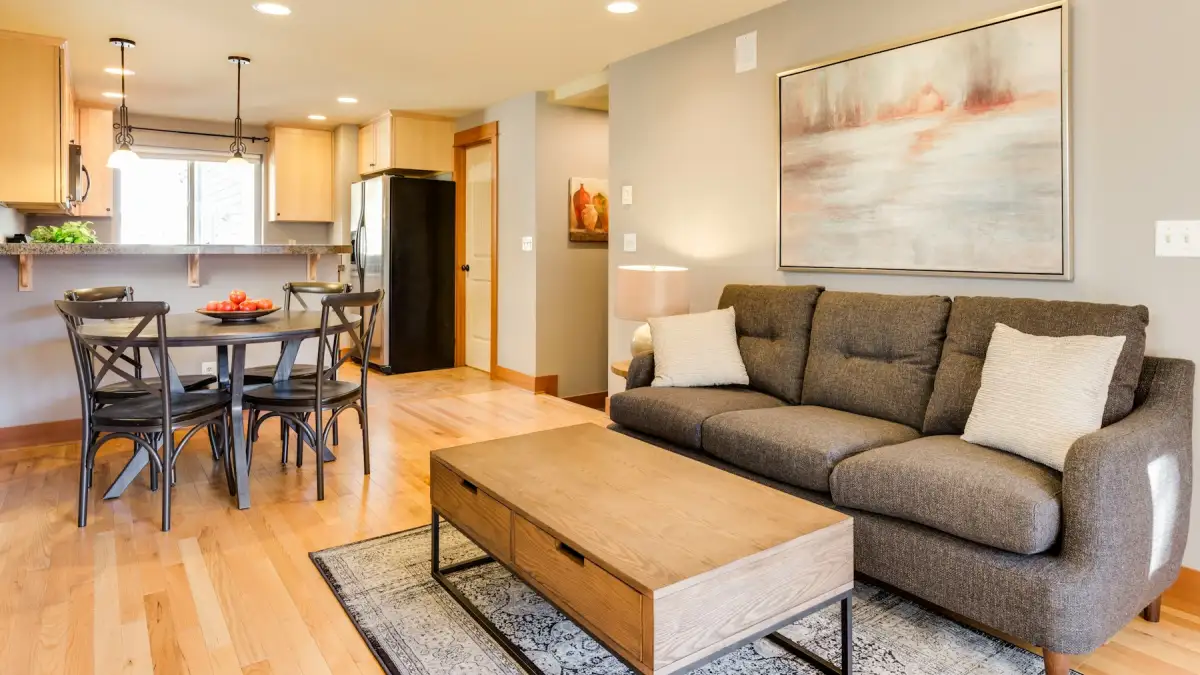
This table divides the home size by each model’s rating and rounds up. It assumes an open layout with few walls, so it is the minimum number, not the final answer.
| Home size | eero 6 | eero 7 | Pro 7 or Max 7 |
|---|---|---|---|
| 1,500 sq ft | 1 | 1 | 1 |
| 2,000 sq ft | 2 | 1 | 1 |
| 2,500 sq ft | 2 | 2 | 1 |
| 3,000 sq ft | 2 | 2 | 2 |
| 4,000 sq ft | 3 | 2 | 2 |
| 5,000 sq ft | 4 | 3 | 2 |
How walls and floors change the count
Wi-Fi signal loses strength as it passes through walls and floors, and dense materials such as brick, concrete and plaster with metal lath absorb the most. eero does not publish a wall-by-wall formula, so the numbers below are HomePilot’s own rules of thumb, the same ones our calculator uses. They are estimates, not eero specifications.
- Mixed walls: we reduce each unit’s rated coverage by about 15 percent.
- Heavy walls (brick, concrete, plaster): we reduce it by about 35 percent.
- Floors: we assume at least one unit per floor, since signal passes poorly through floors and ceilings.
Here is what that does for a 2,400 square foot single-story home:
| Model | Open layout | Mixed walls | Heavy walls |
|---|---|---|---|
| eero 6 | 2 | 2 | 3 |
| eero 7 | 2 | 2 | 2 |
| eero Pro 7 | 1 | 2 | 2 |
And for a 2,400 square foot two-story home, our one-unit-per-floor rule means at least two units on any model, with a third if the walls are heavy or the layout is long and narrow.

Do you need mesh at all?
Often not. If your home is small, mostly open and sits within the rated coverage of one good router, a single unit can be enough, and adding more nodes just costs money and clutter. We explain this in more depth in our guide to mesh Wi-Fi for small apartments and renters. If you only have one dead spot, a cheap extender might do the job, but see our honest take on whether Wi-Fi extenders work first.
Your internet plan sets a ceiling
A mesh system cannot give you more speed than your plan provides, and a model with a low wired limit can cap a fast plan. eero rates the eero 6 at up to 1 Gbps wired, so a 1 Gbps plan is right at its ceiling. The eero 7 is rated up to 2.3 Gbps wired, the Pro 7 up to 4.7 Gbps and the Max 7 up to 9.4 Gbps. For plans of 500 Mbps or less, even the entry model is not the limit. The calculator checks your plan against the model so you do not pay for speed you cannot use.
How many devices?
Every phone, TV, speaker, plug and camera counts. eero rates the eero 6 for 75 or more devices, the eero 7 for 100 or more, and the Pro 7 and Max 7 for 200 or more. A home full of smart devices can reach those numbers faster than you think; see whether to use a separate network for smart devices.
Placing the units you buy
- Put the first unit near where your modem enters the home, and place the others roughly halfway to the weak areas rather than inside them.
- Keep units off the floor and away from metal, mirrors and thick walls where you can.
- Use Ethernet between units if your home is wired, which frees up wireless capacity.
- Add a unit only after you have tested; more is not always better. See our mesh Wi-Fi setup tips.
Where to buy
If the calculator or the tables point you to a model, here are the eero units we reference in this guide. HomePilot earns a commission from qualifying Amazon purchases, which does not change the price you pay.
Check eero 6 on Amazon → · Check eero 7 on Amazon → · Check eero Pro 7 on Amazon → · Check eero Max 7 on Amazon →
As an Amazon Associate, HomePilot earns from qualifying purchases. We have not tested these devices ourselves; ratings above come from the manufacturer.

Frequently asked questions
How many mesh nodes do I need for a 2,000 sq ft house?
By eero’s ratings, one eero 7 or Pro 7 covers 2,000 square feet in an open layout, while an eero 6 needs two. Add a unit for each extra floor or for very thick walls.
How many mesh nodes do I need for a two-story house?
At least two, one per floor, since signal passes poorly through floors. Large or wall-heavy homes may need a third.
Is a 3-pack of mesh Wi-Fi too many?
For many homes, yes. A 3-pack suits a large or heavily walled home. Calculate from your floor area, floors and walls before buying the bigger pack.
Do more mesh nodes mean faster Wi-Fi?
No. Extra nodes improve coverage, not the speed of your internet plan, and too many in close range can add clutter without benefit.
Do I need mesh Wi-Fi for an apartment?
Usually not. A single good router is often enough for a small apartment. Mesh helps with larger layouts, thick walls or multiple floors.