Last updated November 24, 2026. Reviewed by the HomePilot editorial team.
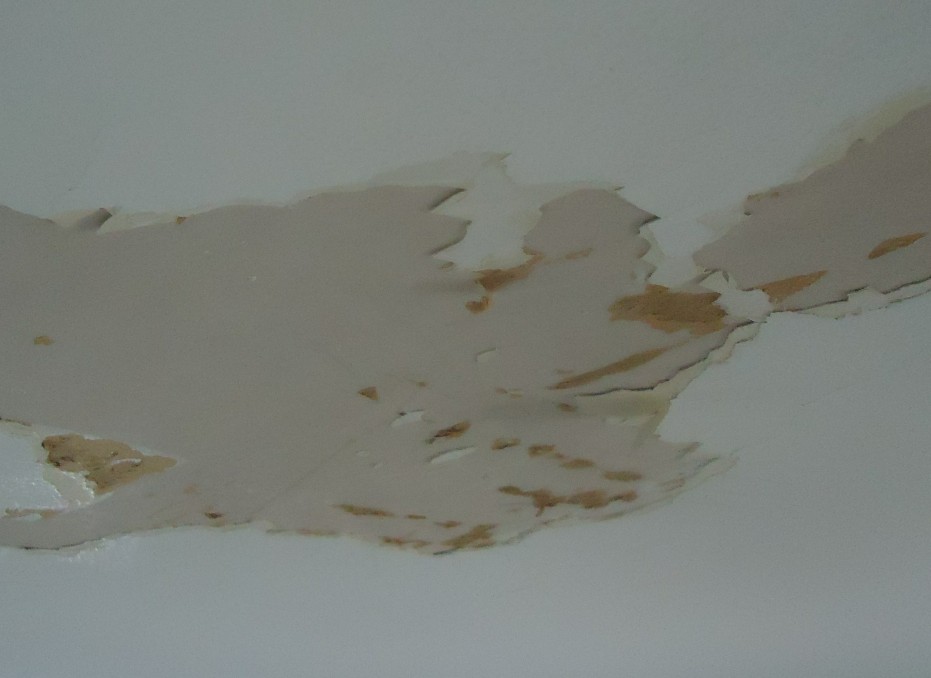
The most expensive thing to go wrong in your house is rarely something fancy. It is a worn hose or a tired seal quietly dripping behind a cabinet while you are at work. By the time you notice, the floor underneath is already ruined.
Short answer: for most homes, yes. Water damage and freezing claims averaged about $15,400 from 2019 through 2023, according to Insurance Information Institute figures cited by MoneyCrashers, while a water leak sensor can cost under $50. Put one under each sink and beside the water heater, washer and dishwasher, and pick a smart model that alerts your phone if you travel.
What water damage really costs
- It is common. About one in 50 homeowners files a water damage or freezing claim every year, and only wind and hail claims are more frequent.
- It is expensive. Claims averaged about $15,400 from 2019 through 2023. Chubb reports averages that can reach $50,000 for some policyholders, with people often out of their homes for about three months.
- It can be excluded. Many homeowners policies exclude damage from constant or repeated seepage or leakage over weeks or months, so a slow drip can end up being your bill. Read your own policy to see what it says.
How much does a water leak sensor cost?
| Type | Typical price | What it does |
|---|---|---|
| Basic standalone alarm | Under $20 | Beeps at the sensor, so it only helps if you are home |
| Smart sensor that alerts your phone | Under $50 | Sends a notification wherever you are |
| Sensor system with automatic shutoff valve | Roughly $100 to $1,500 or more | Reports the leak and shuts off the water |
Do the math: four $40 sensors cost $160, which is about 1 percent of an average $15,400 claim. A sensor only reports a leak, while a shutoff valve actually stops the water. If you travel often or have a basement, the valve is worth considering.
Where to put a water leak sensor
- Under the kitchen sink and bathroom sinks
- Beside the water heater
- Near the washing machine and dishwasher
- In basements and low spots where water would pool
- Under any appliance that uses water
Test each sensor and change its batteries once a year.
Wi-Fi sensor or hub-connected sensor?
A Wi-Fi sensor works with its own app and needs no hub, which makes it the simplest start. Sensors that use Zigbee, Z-Wave or Thread are small and sip battery, and they connect to a hub, so they can trigger scenes such as turning on a light or sounding a speaker. If you already own a hub, choose a sensor that speaks its language. Our guides explain what a smart home hub is, compare the best smart home hubs, and show which radios matter in our home automation hub guide.

Could a sensor lower your insurance bill?
Possibly. Some insurers, including Amica, offer a discount for leak detection devices, though not in every state. Ask your insurer before you buy, and keep your receipt.
Spot sensors, sensing cables or automatic shutoff?
“Leak sensor” covers a few different products. Which one fits depends on how much protection you want:
- Spot sensors are small pucks with metal contacts underneath. They alarm when water bridges the contacts. Cheapest option, ideal under sinks and next to appliances.
- Sensing cables detect water anywhere along a cord, so one sensor can guard the whole base of a water heater, a long run of pipe or a finished basement wall.
- Automatic shutoff valves close your water supply when a paired sensor gets wet, so a leak stops even if nobody is home. Some clamp onto your existing lever valve, like the Aqara Valve Controller T1; others are installed in the main line by a plumber.
- Whole-home water monitors sit on the main line and watch flow patterns, catching hidden leaks inside walls that a floor sensor would never touch. They cost the most and often need professional installation.
For most homes, a handful of spot sensors is the right start. Add an automatic shutoff if you travel often, have a finished basement, or live in an area where pipes can freeze.
Set-up and upkeep checklist
A sensor only helps if it actually wakes someone up. Run through this list once after installing, then every few months:
- Place each sensor at the lowest point where water would collect, flat on the floor, with the contacts touching the surface.
- Turn on phone notifications and, if the sensor has one, the built-in siren, so you hear it even without your phone.
- Test each sensor by touching the contacts with a damp paper towel. You should get an alert within seconds.
- Replace batteries when the app warns you, and check them at least twice a year.
- Use temperature alerts if your sensor has them. A sudden drop near pipes in winter is an early warning of a freeze.
- Make sure everyone in the home knows where the main water shutoff is, in case an alert arrives while you are out.
Want to find a leak you cannot see yet? Our 15-minute toilet dye test catches one of the most common hidden water wasters.
Frequently asked questions
Are water leak sensors worth it?
For most homes, yes. Water damage claims averaged about $15,400 from 2019 through 2023, and a sensor under $50 can alert you within minutes of a leak.
Do water leak sensors lower insurance premiums?
Some insurers offer discounts for leak detection devices, though not in every state. Check with your insurer.
Do I need a hub for a water leak sensor?
Not for Wi-Fi models, which use their own app. Zigbee, Z-Wave and Thread sensors connect to a hub or compatible speaker.
Want sensors that work with your hub?
We did the research so you don’t have to. Browse HomePilot Picks for smart home gear that works with the hubs we recommend.
Sources
- MoneyCrashers: water leak sensors
- PropertyCasualty360: Erie Insurance on preventing water damage (Chubb data)
- ProBuilder: leak detection systems
- D-Link: water leak detection solutions
Related: tripping outlets near water can be a GFCI issue, see why a GFCI outlet keeps tripping.