
Last updated November 24, 2026. Reviewed by the HomePilot editorial team.
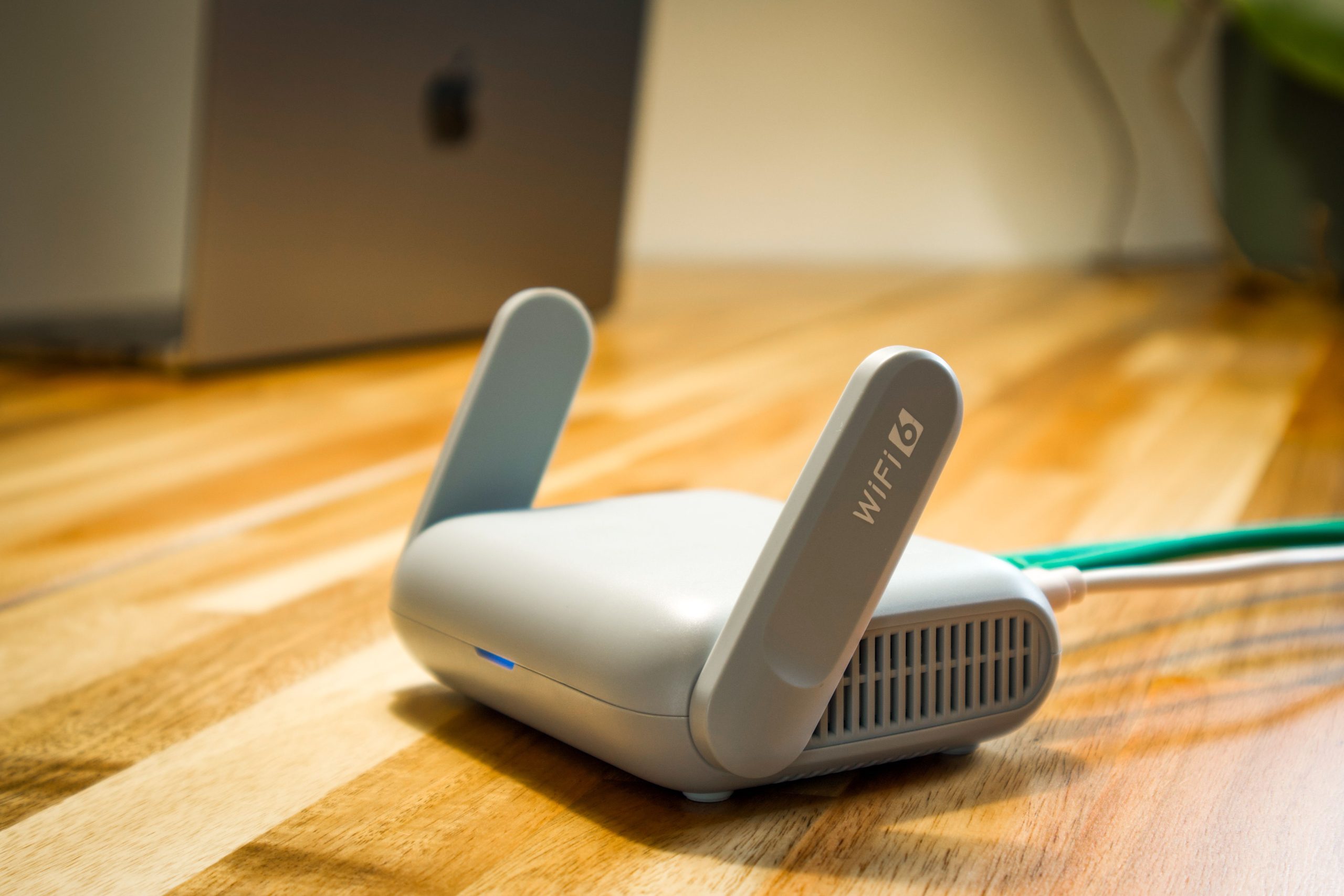
Four eero systems, one question: which mesh WiFi setup is actually worth your money? For most homes the answer sits in the middle of Amazon’s lineup, not at the top, and getting the right number of units matters more than the model name.
Short answer: Buy the eero Pro 7 (a 2-pack for most homes) if you want one setup that lasts. Choose the eero 7 for apartments and smaller homes, the eero 6 if your budget is tight and your internet plan is modest, and the eero Max 7 only if you have a multi-gig plan, a NAS or a very large home.
Last updated October 14, 2026. This post contains Amazon affiliate links. If you buy through them, HomePilot earns a small commission at no extra cost to you. We did not lab-test these systems. Specs come from Amazon’s listings and independent reviews, so check the listing for current price and exact specs.
Read our affiliate disclosure.
How many mesh points do you need? Our free mesh Wi-Fi calculator works it out from your home size, floors, walls and internet plan, and shows which eero fits.
The four eero systems at a glance
| System | Wi-Fi and bands | Wired ports | Best for |
|---|---|---|---|
| eero 6 | Wi-Fi 6, dual-band | Gigabit | Small homes and tight budgets |
| eero 7 | Wi-Fi 7, dual-band | 2.5 Gbps | Apartments and small to medium homes |
| eero Pro 7 | Wi-Fi 7, tri-band (adds 6 GHz) | 5 Gbps | Most family homes |
| eero Max 7 | Wi-Fi 7, tri-band | 10 Gbps and 2.5 Gbps | Multi-gig plans, NAS drives, big homes |
All four are managed from the same eero app, which is a big reason this lineup is so easy to set up.
Which mesh WiFi setup fits your home?
| Your home | Best setup | Why |
|---|---|---|
| Studio or one-bedroom | One eero 7 (or an eero 6 on a tight budget) | One unit is rated for roughly 2,000 sq ft in open conditions |
| Two-bedroom, up to about 2,000 sq ft | One eero Pro 7, or a 2-pack of eero 7 | Add a second unit only if a far room stays weak |
| About 2,000 to 4,000 sq ft, or two floors | A 2-pack of eero Pro 7 | Tri-band gives the units a clear link to each other |
| Large home, NAS or multi-gig internet | A 2-pack of eero Max 7 | The fastest ports and radios in the lineup |
Treat coverage ratings as best-case numbers, because real walls cut them down. Living in a small place? Our mesh WiFi buying guide for small apartments explains when one unit is plenty.
eero Pro 7: the one to buy for most homes
The Pro 7 is tri-band Wi-Fi 7, which adds the far less crowded 6 GHz band and gives you two 5 Gbps ports. Amazon says it supports 200+ devices, so a busy smart home will not choke it. The trade-off is cost: it sits well above the eero 7, and some extra security and parental features need the optional eero Plus subscription.
eero 7: the best value for apartments
The eero 7 brings Wi-Fi 7 to a much lower price. It is dual-band, so it skips the 6 GHz band, and it is rated for wireless speeds up to 1.8 Gbps, which is more than most home internet plans use. It has two 2.5 Gbps ports, so it will not bottleneck a fast plan on the wire.
eero 6: the budget pick
The eero 6 is a Wi-Fi 6 system with gigabit ports. It is a sensible choice for a small home with a modest plan, and Wi-Fi 6 is still plenty for streaming, video calls and browsing. Check the listing for the exact speed it supports before you buy.
eero Max 7: for multi-gig plans and heavy users
The Max 7 is the top of the lineup. Its 10 Gbps ports and stronger radios suit NAS drives, big media backups and constant streaming, while the Pro 7 tops out at 5 Gbps. Most homes will never use that extra headroom, so buy it only if you know you need it.
Set it up right
A good mesh WiFi setup matters as much as the model. Our full mesh WiFi setup tips for 2026 cover every step, but these four fix most problems:
- Put the first unit next to your modem, in the open.
- Place the next unit about halfway to the weak room, not inside it.
- Connect units with Ethernet if you can.
- Turn on automatic updates on day one.
Quick answers
Is the eero Pro 7 worth it over the eero 7?
Yes for larger homes, two floors or crowded buildings, thanks to the 6 GHz band and faster ports. For an apartment, the eero 7 is usually enough.
Do eero systems need a subscription?
No. They work without one. eero Plus is an optional extra for added security and parental controls.
Can I mix eero models in one mesh?
Amazon says the Pro 7 works with all generations of eero, so mixing is possible. A matched set is still the simplest and fastest option.
Which eero is best for a small apartment?
A single eero 7 for most apartments, or an eero 6 if budget matters most. Our mesh WiFi buying guide for small apartments has the full test for whether you need mesh at all.
Sources
- Expert Reviews: Amazon’s new eero 7 is its cheapest Wi-Fi 7 router
- TechRadar: Amazon eero Pro 7 price drop
- Technobezz: eero Pro 7 tri-band mesh Wi-Fi deal
- Impress Watch: eero lineup specs
🛍️ Want to see what else we recommend? Routers are just the start. Browse the smart home gear HomePilot has researched and recommends, all in one place, before you buy anything else.
Frequently Asked Questions
Do eero systems require a subscription?
No. eero describes its eero Plus subscription as optional. It adds extra security, network controls and insights, but the system works without it.
Can I mix different eero models in one network?
Yes, but eero says combining older and newer generations may reduce performance across the network, and recommends using the same generation of devices for the best results.
Do I need a separate modem with eero?
Yes, if your provider does not give you one. You designate one eero as the gateway by connecting it to your modem with an Ethernet cable, and eero replaces your old router.
Is wired backhaul supported on eero?
Yes. eero says you can use any combination of wired and wireless eeros after the gateway is set up, and wiring nodes with Ethernet gives the most stable performance.
Sources: eero: Subscription information.