
Last updated November 11, 2026. Reviewed by the HomePilot editorial team.
Product review · Robot vacuums
A self-emptying robot vacuum used to be a luxury. The Roborock Q7 M5+ is one of the reasons it no longer is. It pairs Roborock’s LiDAR mapping and 10,000 Pa of claimed suction with a dock that empties the robot’s bin for you, holding up to 7 to 9 weeks of dust in a sealed bag. It is the cheapest way into Roborock’s self-emptying range and a regular in deal roundups. But at this price something has to give. Here is what you get, what you do not, and who should buy it.
By the HomePilot Team · Updated November 5, 2026 · A research-based review drawing on Roborock specifications and published hands-on testing · How we research
As an Amazon Associate, HomePilot earns from qualifying purchases. We did not test this robot ourselves; this review brings together maker specifications and findings from hands-on testers such as Vacuum Wars.
Our verdict
The best budget self-emptying robot vacuum for mostly vacuuming homes. Its top-mounted LiDAR maps rooms quickly and cleans in efficient rows, suction is strong for the price, and the dock means you rarely touch it. What you give up is camera-based obstacle avoidance and real mopping: it can bump into cords and socks, and the mop is a simple pad, not a self-washing system. Tidy floors and a vacuum-first routine make it a great buy; cluttered floors and mopping needs point to a Qrevo instead.
10,000 Pa
Claimed suction power
7–9 weeks
Hands-free emptying with the dock bag
~$360
Typical list price; often discounted during sales
Specs at a glance
| Feature | Roborock Q7 M5+ (maker specs) |
|---|---|
| Suction | 10,000 Pa (HyperForce) |
| Navigation | PreciSense 360-degree LiDAR, top-mounted |
| Dock | RockDock Plus self-emptying station |
| Dust bag | 2.7 L sealed bag, up to 7 to 9 weeks hands-free |
| Brushes | Dual anti-tangle system for pet hair |
| Mopping | Simple pad-based mopping |
| Obstacle avoidance | No camera-based avoidance |
| App features | Multi-floor maps, no-go zones, carpet boost |
| Voice | Works with Amazon Alexa and Google Assistant |
| Wi-Fi | 2.4 GHz |
What testers found
- Efficient navigation. Vacuum Wars measured it covering about 0.84 square meters per minute, faster than the 0.7 average in its tests, thanks to its top-mounted LiDAR.
- Good all-round results. Vacuum Wars reported good results across its key cleaning tests.
- Strong value. Vacuum Wars noted it sells at a similar price to rivals like the Eufy C10, which has fewer features.
- Long runtime. Roborock claims up to about three hours of runtime, enough for most homes on one charge.
Where it falls short
- No camera obstacle avoidance. It relies on LiDAR and bump sensors, so pick up cords, socks and pet toys before it runs.
- Basic mopping. The mop is a simple pad you wet and wash yourself. It will freshen hard floors, not scrub dried stains.
- 2.4 GHz Wi-Fi only. Normal for robot vacuums, but worth knowing.
- Ongoing costs. Dust bags, filters and brushes need replacing over time.
Our take
Roborock Q7 M5+
A capable, efficient and genuinely hands-off robot vacuum at a budget price. Best for homes that keep floors fairly tidy and want vacuuming handled automatically.
Why we like it
- LiDAR mapping with efficient, tidy cleaning paths
- Self-emptying dock holds weeks of dust
- Strong suction and anti-tangle brushes for pet hair
- Excellent value, especially on sale
Flaws but not dealbreakers
- No camera-based obstacle avoidance
- Mopping is basic
- Bags and parts add ongoing cost

Q7 M5 vs Q7 M5+: which one?
Both use the same robot. The “+” adds the RockDock Plus self-emptying station. Without it, you empty the robot’s small bin by hand after a run or two. If you plan to run it several times a week, or you have pets, the self-emptying version is worth it; if you will run it occasionally, the base model saves money.
Setup in 15 minutes
Place the dock against a wall with some clear space on each side and in front, plug it in, and let the robot charge. Then connect it to the Roborock app over 2.4 GHz Wi-Fi and start a mapping run. Because the LiDAR scans the room as it goes, the first map is usually ready after a single run. Name the rooms, split or merge them if the app guessed wrong, and add no-go zones around cables, pet bowls and rugs with tassels. After that, you can clean individual rooms, set different suction levels per room and schedule runs from the app or by voice.
Running costs and maintenance
| Part | What to do | Why it matters |
|---|---|---|
| Dust bag | Replace when the app says it is full, roughly every 7 to 9 weeks | A full bag stops the dock from emptying |
| Filter | Tap clean regularly and replace periodically | Keeps suction strong |
| Main and side brushes | Remove hair every couple of weeks and replace when worn | Anti-tangle helps, but long hair still builds up |
| Sensors and wheels | Wipe with a dry cloth | Keeps navigation accurate |
| Mop pad | Wash after use | Prevents smells on hard floors |
Bags and spare parts are an ongoing cost of any self-emptying robot, so check that replacements are easy to find before you buy. A robot vacuum uses little electricity: charging typically adds only a few dollars a year to your bill.
Who should buy it, and who should skip it
Buy it if
- You want a self-emptying robot on a budget
- Your floors are mostly tidy
- You mainly need vacuuming, including pet hair
- You want reliable mapping and no-go zones
Skip it if
- Your floors are cluttered with cords and toys
- You want a robot that truly mops hard floors
- You want a dock that washes and dries mop pads
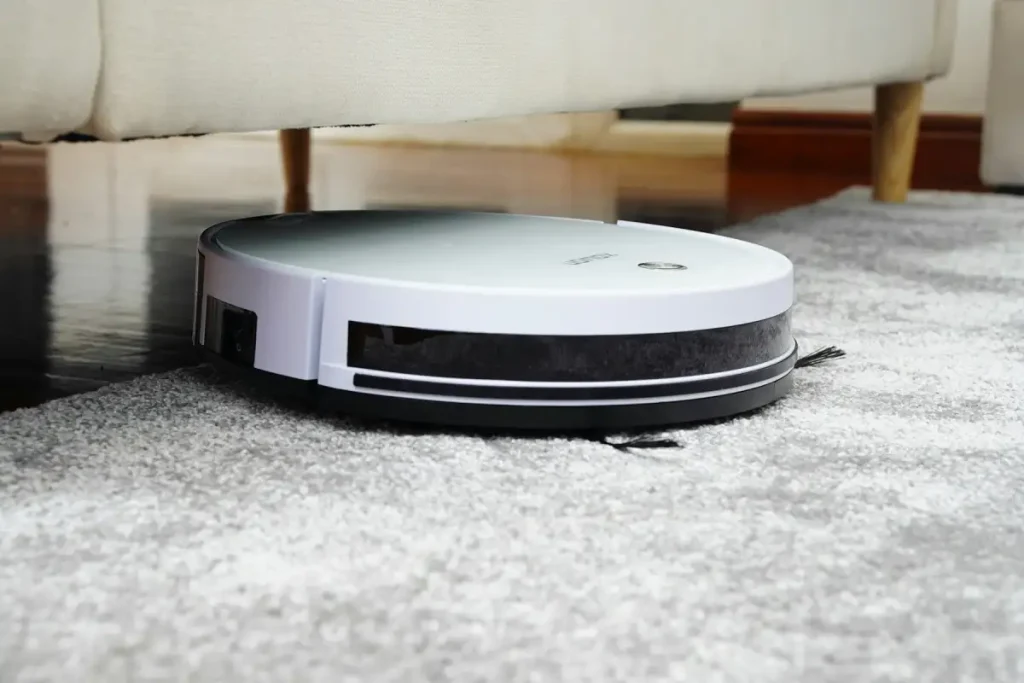
- You need the slimmest robot to fit under furniture
Get the most out of it
- Do a quick floor pickup before each run: cords, socks and small toys.
- Let it map the whole home first, then set no-go zones around pet bowls and cables.
- Turn on carpet boost if you have rugs.
- Schedule runs while you are out.
- Clean the brush and sensors every couple of weeks, and keep spare bags on hand.
Alternatives to consider
| Model | Why choose it |
|---|---|
| Roborock Qrevo S Pro or Qrevo Curv 2 Flow | A dock that washes and dries mop pads; better for hard floors |
| Roborock Saros 10R | Flagship obstacle avoidance and a slim design; see our review |
| Roborock Q7 M5 (no plus) | Same robot without the self-emptying dock, for less |
Comparing the whole range? See which Roborock you should buy.
Frequently asked questions
Is the Roborock Q7 M5+ worth it?
For a budget self-emptying robot that mainly vacuums, yes. It offers LiDAR mapping, strong suction and weeks of hands-free emptying. Skip it if you need obstacle avoidance or real mopping.
How long does the Q7 M5+ go without emptying?
Roborock says its RockDock Plus bag holds up to 7 to 9 weeks of debris, depending on your home and how often it runs.
Does the Roborock Q7 M5+ avoid obstacles?
It uses LiDAR and bump sensors but not camera-based obstacle avoidance, so it can run into cords, socks and small objects.
Can the Q7 M5+ mop?
It has basic pad mopping that freshens hard floors. It does not wash or dry its own mop like Qrevo and Saros models.
What is the difference between the Q7 M5 and Q7 M5+?
The robot is the same. The plus version adds a self-emptying dock.